Multi-outlet daily flash report — single-page rollup for area managers
Free multi-outlet daily flash report template for Indian restaurant chains. The 11 fields, the 8am cadence, and the variance flag rules that catch a bad outlet before lunch.
Last updated 9 Aug 2026

About this piece. Once a chain crosses three outlets, the area manager loses the ability to "feel" each outlet by walking through it. The daily flash report is the artefact that replaces walking around — it puts yesterday's number from every outlet on one screen by 9am, surfaces variance, and turns the morning into 20 minutes of decisions instead of two hours of phone calls. This piece gives you the format, the cadence, and the rules for flagging variance.
What the flash report does and doesn't do
A daily flash report is not an MIS. It's a one-page rollup with yesterday's headline numbers from every outlet, generated by a fixed time each morning, read by the area manager before 9am, used to decide where to spend today's attention.
The MIS comes out monthly. The P&L comes out monthly. The forecast comes out weekly. The flash report comes out daily, before the day starts.
What it covers:
- Cash + UPI + card sales by outlet
- Cover count + average per-cover (APC)
- Aggregator share (Swiggy + Zomato)
- Petty cash spent + voucher count
- Cash variance flagged at close
- One free-text field per outlet manager — "what broke yesterday"
What it does not cover:
- Food cost (lags by 24–48 hours; goes in weekly margin sheet)
- Wages (monthly)
- Inventory levels (separate report)
- Customer feedback (separate report)
The flash report is the daily heartbeat. Anything that needs an outlet-by-outlet daily decision lives here. Anything else lives somewhere else.
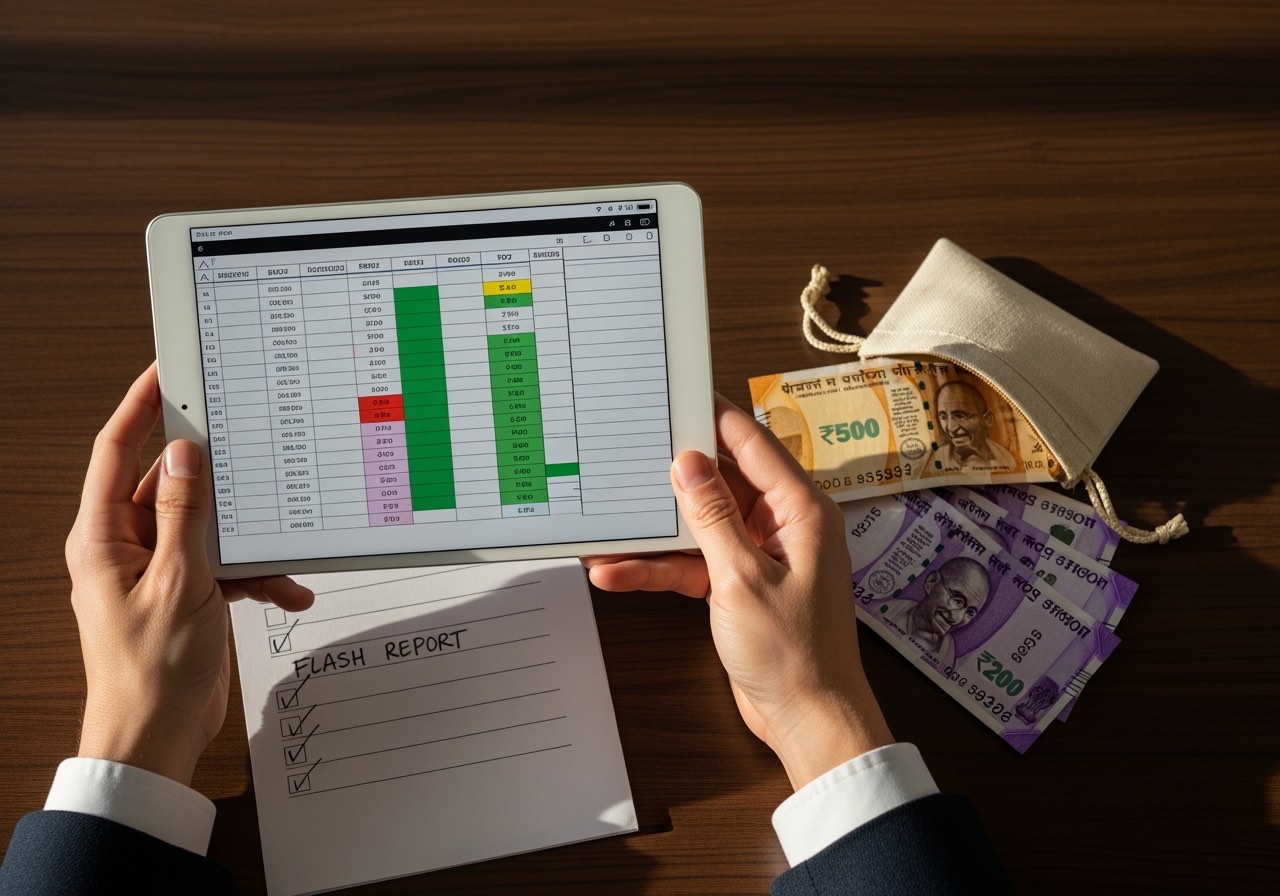
The 11 fields that earn their place on the page
For a 5-outlet rollup, this is the format that fits on a single A4 in landscape:
| Field | Source | Why it matters |
|---|---|---|
| Outlet name + code | Fixed | Sort order |
| Day's gross sales (₹) | POS end-of-day | Headline number |
| Covers | POS | Volume signal |
| APC (₹/cover) | Sales / covers | Quality of revenue |
| Cash % of sales | POS payment split | Cash leakage signal |
| Aggregator % of sales | POS + Swiggy/Zomato reports | Channel mix |
| Petty cash spent (₹) | PCV bundle | Hub-and-spoke discipline |
| Cash variance at close (₹) | DSR | Hard signal — flag at ₹150+ |
| Today's vs last 14-day avg | Calc | Variance flag |
| Open complaints (count) | Outlet log | Customer-facing signal |
| Manager note (1 line) | Outlet manager | The thing no number captures |
That's eleven fields per row, five rows, one totals row, one variance row. Anything more and the page stops being scannable. Anything less and you're flying blind.
The 7am-to-9am cadence
The flash report only works if it ships on time. The cadence:
7:00 am  - Each outlet manager submits previous day's close numbers via
            WhatsApp/web form to the area manager
7:30 am  - Aggregator data auto-pulled (Swiggy partner + Zomato partner)
8:00 am  - Flash report compiled (manual: ~20 min; software: ~2 min)
8:30 am  - Flash report sent on WhatsApp group to area manager + owner
9:00 am  - Area manager reads, decides which 1-2 outlets need a call today
9:30 am  - Calls made; day starts
If the report is later than 9am, the area manager is reacting to yesterday during today, not deciding about today. Latency kills the artefact.
The variance flag rules — when does the row light up red
Three flags trigger a same-day phone call:
- Cash variance > ₹150 at close. Anything under ₹150 is shift noise. Above ₹150 and the outlet manager owes you a same-day explanation in writing.
- Day-vs-14-day-average sales drop > 15 percent. Not a one-day blip; a 15 percent miss on a Tuesday vs the last 14 days' average is operational, not weather. Find out why.
- APC drop > 8 percent. Drop in average per cover suggests a menu mix problem (people ordered cheaper) or a discount problem (you ran a promo without telling head office). Either way, today's decision changes.
Two flags trigger a watch-list note (not a same-day call):
- Cash % of sales rising vs trailing 14 days. Could be a UPI device down, could be cashier preference, could be leakage starting. Worth a Friday review, not a Monday firefight.
- Aggregator share moving 10 percent in either direction. Direction tells the story: aggregator share down 10 percent = walk-in surge or device issue at outlet; up 10 percent = walk-in drop, which is the leading indicator of a problem.
If you have no flags two days in a row across all outlets, the thresholds are too loose. The flash report exists to surface signal; if the signal never fires, you're running a vanity dashboard, not an operating tool. Tighten the thresholds until you see one or two flags a week.
The format (Excel + Google Sheets ready)
Here's what the single-page layout looks like for a 5-outlet chain, ready to copy into a sheet:
DAILY FLASH | [Date] | Area: [name] | Prepared: 08:00 IST

Outlet  Sales(₹)  Covers  APC  Cash%  Agg%  PC(₹)  Var(₹)  vs14d   Cmp  Note
─────────────────────────────────────────────────────────────────────────────
GUR-01  1,42,800   208    687   34%   38%   1,180   +85    +3%      0
NDA-02  1,08,400   164    661   41%   32%     920   -210   -12% [F1] 2  AC down
SDA-03  1,55,200   232    669   28%   42%   1,340   +60    +6%      1
SHA-04    98,600   148    666   38%   35%     780   -2,150 -18% [F1,F2] 1
DLF-05  1,67,800   245    685   31%   40%   1,410   +110   +8%      0

TOTALS  6,72,800   997    675   34%   38%   5,630
─────────────────────────────────────────────────────────────────────────────
RED:   SHA-04 (cash var ₹2,150 + sales -18% vs 14d) — same-day call by 10am
       NDA-02 (sales -12%, AC failure reported) — engineer dispatch confirm

WATCH: GUR-01 cash% trending up 4pp over 7 days — Friday review
That single screen replaces 30 phone calls per week.
Building the report without a tool — the WhatsApp + Sheets stack
If you're not ready to buy software, the artefact still works on free tools. Here's the stack:
- Outlet input — a Google Form per outlet, one submission per day at close. 11 fields. Bookmark on each outlet manager's phone.
- Auto-compile — the form responses land in a Google Sheet. A summary tab pulls the latest row per outlet using
QUERYorFILTERformulas. - Variance calc — a column for
=AVERAGE(last 14 rows)for that outlet, another for=(today - avg)/avg. Conditional formatting paints the row red on the thresholds above. - Distribution — at 8am the area manager screenshots the summary tab and sends it to the ops WhatsApp group.
- Aggregator data — Swiggy partner and Zomato partner dashboards both export yesterday's GMV by store; download as CSV and paste into a separate tab.
Time to assemble each morning: 15–25 minutes once the sheet is wired. The discipline is the cadence, not the tooling.
Three mistakes that kill flash reports
In the operator networks where I've seen flash reports get adopted and then abandoned, the cause is one of three:
- Too many fields. Twenty fields don't fit on one page. The eye drops to the bottom and skips the middle. Eleven fields is the working limit for a 5-outlet rollup.
- No variance thresholds. A flash report without a red/green decision is a table of numbers. A table of numbers is not an operating tool. The thresholds force a decision per row per day.
- Inconsistent submission. If outlet 4 submits at 7am Monday and 10am Wednesday, the report ships at 10am Wednesday and the area manager stops reading it. Cadence is the product.
A flash report that survives six months becomes part of the muscle memory of the chain. Outlet managers know exactly what number lands on the area manager's desk; the conversation moves from "give me your numbers" to "explain row 4". That's a different conversation, and the right one.
The owner's role — once a week, not once a day
The flash report goes to the owner too, but the owner should not be running the daily call. The split:
- Area manager reads daily, decides today's interventions.
- Owner reads daily but acts weekly — every Friday, review the week's flags and look for the pattern that the daily noise hides. Three "cash variance" flags from outlet 4 in a month is a pattern. One flag a day in isolation isn't.
The flash report only works if the owner trusts the area manager to handle the daily decisions. The minute the owner starts making the 9:30am calls, you've replaced an area manager with an expensive escalation.

Where the flash report sits in the multi-outlet ops stack
The flash report is one of three documents that close the multi-outlet operating loop:
- Daily flash report — yesterday at every outlet, today's decisions (this piece)
- Weekly margin sheet — week's food cost + labour cost + variance trends
- Monthly outlet P&L — full unit economics by outlet
Each cadence answers a different question. Daily: where do I send attention today? Weekly: where is the margin going? Monthly: which outlets are paying their rent?
A chain running all three reports on time, with variance thresholds that bite, is in the 95th percentile of Indian multi-outlet operations — regardless of whether the tooling is software, sheets, or paper.
Related on Restaurant Daily
One operator playbook a week, in your inbox.
Cash close, petty cash, payroll, compliance, unit economics — sent every Monday morning. No spam, no upsell drip. Unsubscribe in one click.
Sent from noreply@restaurantdaily.ai. We never share your address.
Related reading
Central kitchen vs distributed kitchen for Indian restaurant chains
Central kitchen vs distributed: cost, ops, quality trade-offs for Indian restaurant chains. Break-even outlet count, FSSAI implications, and the IST overhead nobody prices in.
Catering business daily tracking — event-day template covering food, staff, payments
Catering business daily tracking template for Indian caterers — event-day sheet covering food prep, staff deployment, payment milestones, and the four leakage points unique to catering.
Inter-store transfer format for restaurants — IST template + GST handling
Inter-store transfer format for restaurants in India — free IST template, GST handling for stock movement between outlets, and the audit trail that protects you.
How to manage multiple restaurant outlets — a week-by-week operating rhythm
How to manage multiple restaurant outlets — the area manager's week-by-week operating rhythm, daily/weekly/monthly cadence, and the four habits that keep quality even.
Multi-location restaurant POS for India — 6 systems compared
Multi-location restaurant POS systems compared for India — Petpooja, Posist, Limetray, RD POS, Toast, Pine Labs Bharat POS — on consolidation, taxes, sync.