Findings
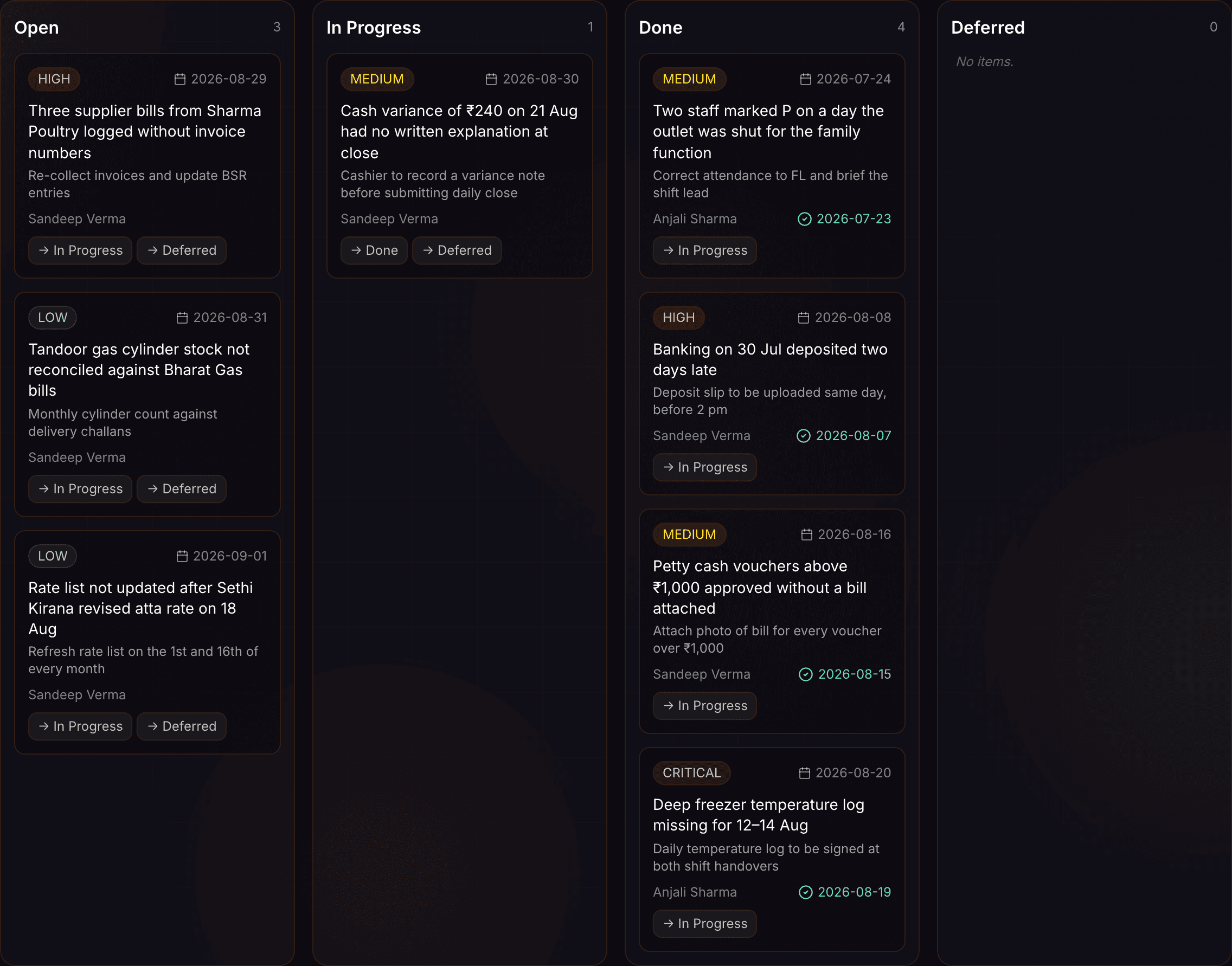
A finding gets an owner.
Write down what the audit turned up, give it a severity, a person and a date, and move it along until it closes.
The record explains the number.
What gets written down.
Cash sessions, petty vouchers and electricity payments record every insert, edit and delete.*
* Written by the database itself, not by the screen that made the change.
On the money paths, the entry keeps what the row said before.*
* Petty vouchers, payroll deductions, salary advances and electricity recharges store the old values beside the new ones.
A deduction will not save without a reason typed against it.*
* The reason is stored on the deduction and on its entry.
Revealing a bank account number is itself an event.*
* Identity documents and bank details write an entry when they are uploaded, revealed or removed.
The day
Numbers that trace back.
A tile on the dashboard is a total. Underneath it, every entry still carries the person who made it.

What the system writes down.
Three tables are recorded by the database itself.¹
Four money paths keep the values from before the change.²
Three staff-data events are recorded: upload, reveal, delete.³
Four fields fix an entry in place: who, where, what and when.⁴
- ¹ Baseline: cash sessions, petty vouchers and electricity payments — every insert, update and delete, written by a trigger rather than by the app.
- ² Baseline: petty vouchers, payroll deductions, salary advances and electricity recharges store the old row alongside the new one.
- ³ Baseline: identity documents and bank details on a staff record, each write naming the user who acted.
- ⁴ Baseline: the user, the restaurant, the action taken and the moment it happened, stored on every entry.
Questions? Answers.
What is the record actually for?
Seeing what happened. A shift closed late, a voucher corrected the next morning — the sequence is there to read when a number needs explaining.
Is there a screen that lists every entry?
Not yet. Entries are written as changes happen, and the in-app view of them is still to be built. The audit plan, where findings and their owners live, does have one.
Can an entry be changed afterwards?
Not through the app. A signed-in account can read entries and nothing else — there is no edit and no delete.
Who can read it?
An admin reads the restaurant’s entries. Any user can read the entries they made themselves.
Is everything recorded?
No. Cash sessions, vouchers and electricity payments are recorded automatically; other paths write an entry because they were built to. A screen that was never wired for it leaves no entry.
How long are entries kept?
There is no expiry. Entries stay for as long as the restaurant does.
Take the next step.
Who it is for