The day
Mark the day. Save the row.
A manager sets a status for each staff member. The roster follows the date, so a month gone by still shows the people who worked it.
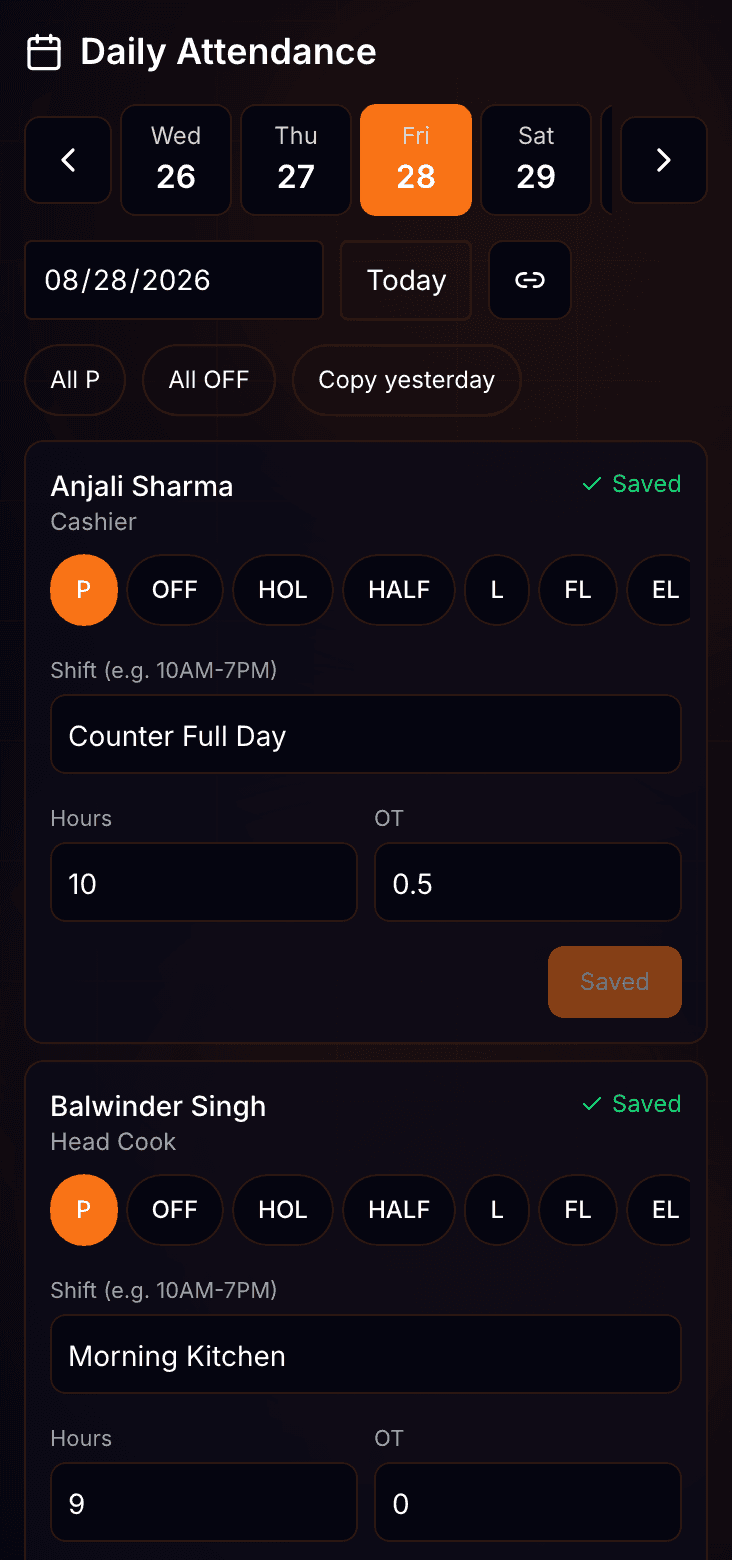
The register, in detail.
Mark all present, mark all off, or copy yesterday — unmarked rows only.*
* A bulk action never overwrites a row someone already saved.
Type the shift and the hours fill themselves in.*
* Shift text such as 10:00AM-7:00PM is read into hours, including a shift that crosses midnight.
Hours past the standard shift become overtime.*
* Standard shift hours sit on the staff record. Undertime is entered as a dock and priced at the same hourly rate.
A day already gone stays editable — pick the date and save.*
* The roster follows the date, so a staff member who has since left still appears on the months they worked.
Shifts
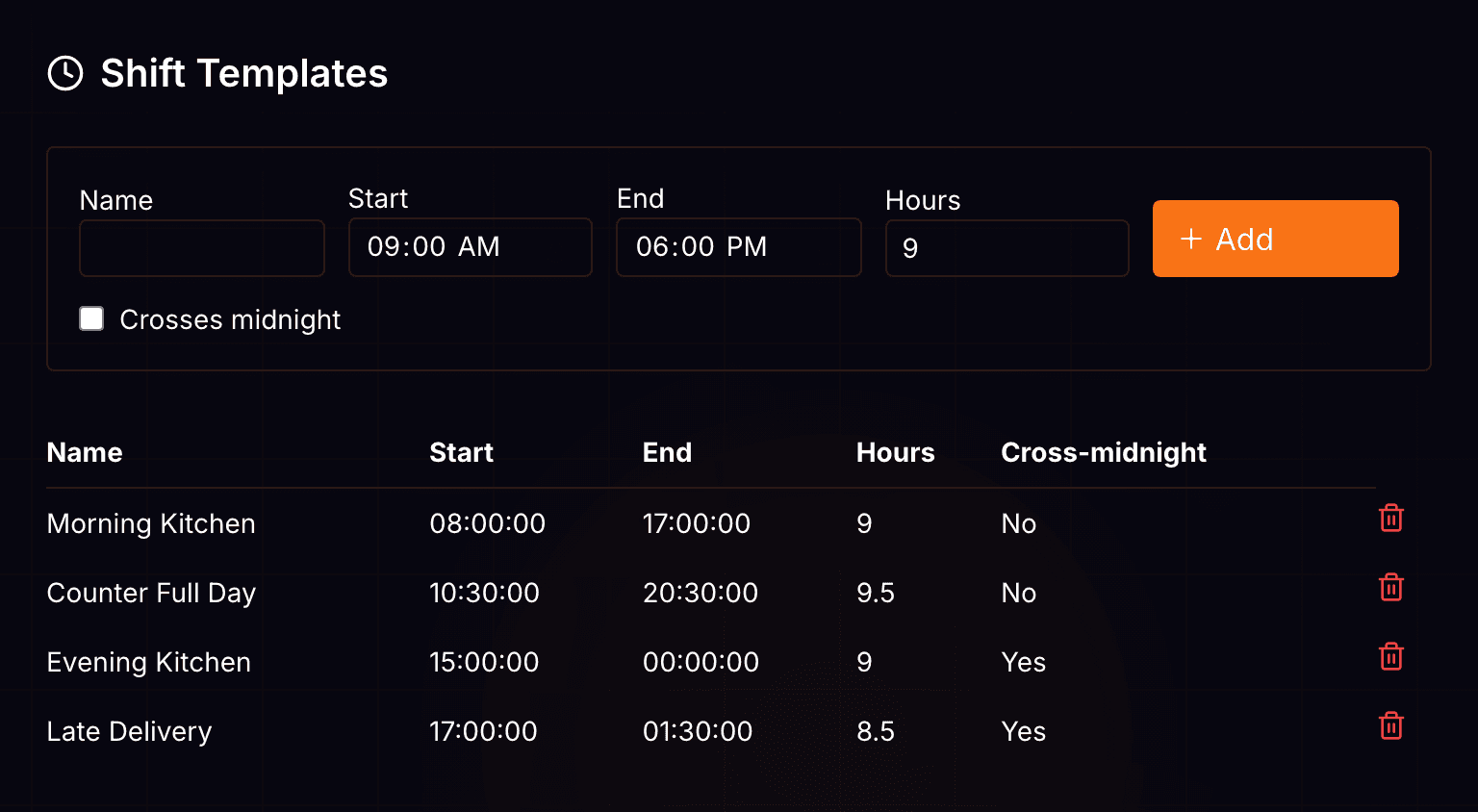
Name the shift once.
A shift is a name, a start, an end, and the hours it stands for. Attach one to a staff member when you add them.
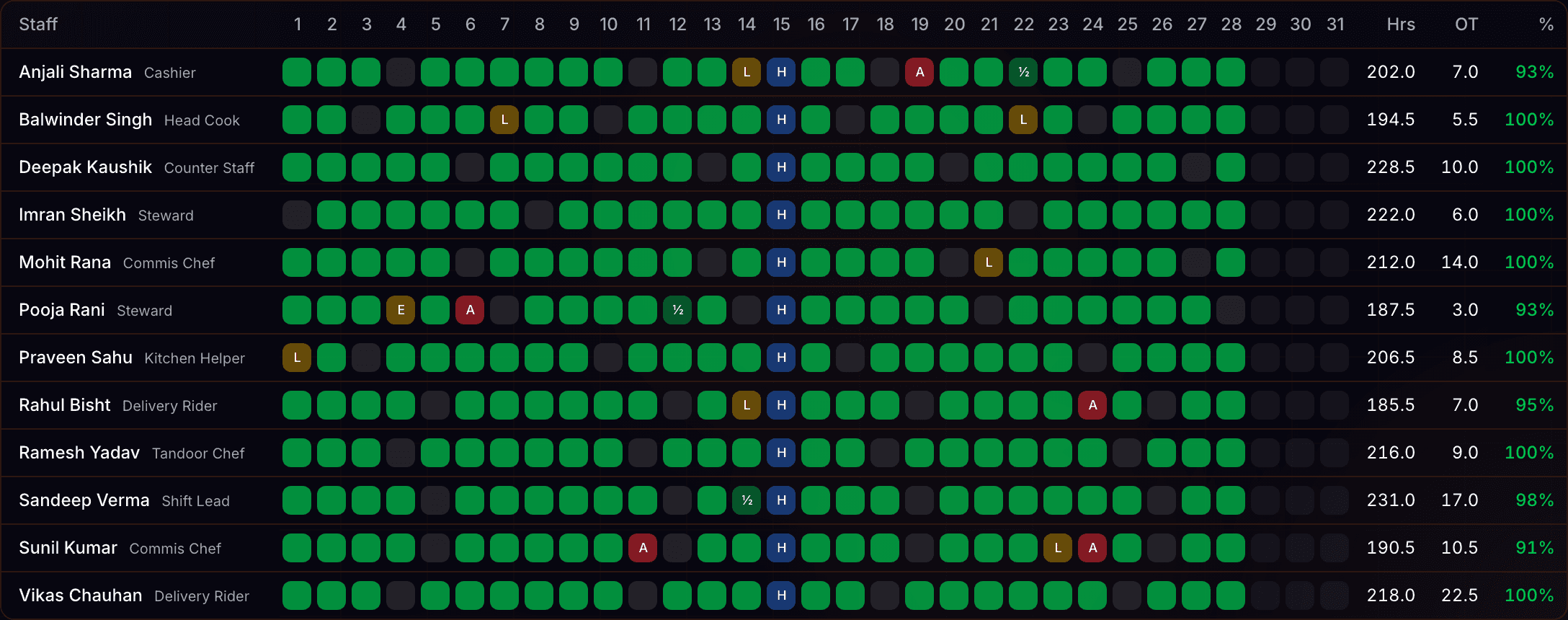
The month, counted.
Ten statuses cover the month, from week off to LOP ×1.5.¹
Three bulk actions fill a day’s unmarked rows.²
One attendance percentage per staff member, per month.³
Four month totals sit above the grid.⁴
- ¹ Baseline: the register status set — present, half day, week off, holiday, festival leave, leave, earned leave, absent, LOP and LOP ×1.5.
- ² Baseline: mark all present, mark all off, and copy yesterday. Each writes only where no row exists yet.
- ³ Baseline: days present, counting a half day as 0.5, against tracked days less week offs and leave.
- ⁴ Baseline: total hours, overtime hours net of docks, days worked, and absent plus LOP days.
Questions? Answers.
Is there biometric or face check-in?
No. A manager marks the register. There is no biometric reader, no selfie and no geofence.
Can I mark a day that has already gone?
Yes. Pick the date and save. The roster shows whoever was on the books that day.
How is overtime worked out?
From the hours on the row. Anything past the staff member’s standard shift hours is overtime, and it carries into that month’s pay.
Can staff apply for leave in the app?
Not yet. Leave is recorded on the register by whoever marks the day, as earned leave, festival leave, or plain leave.
What comes out at the end of the month?
A staff-by-day grid with an attendance percentage each, and a CSV with present, half day, off, leave, absent, LOP, hours and overtime per staff member.
Take the next step.
Who it is for