
The month run
One salary. Ten statuses.
Each staff member carries a monthly salary. The register decides how much of it the month earned.
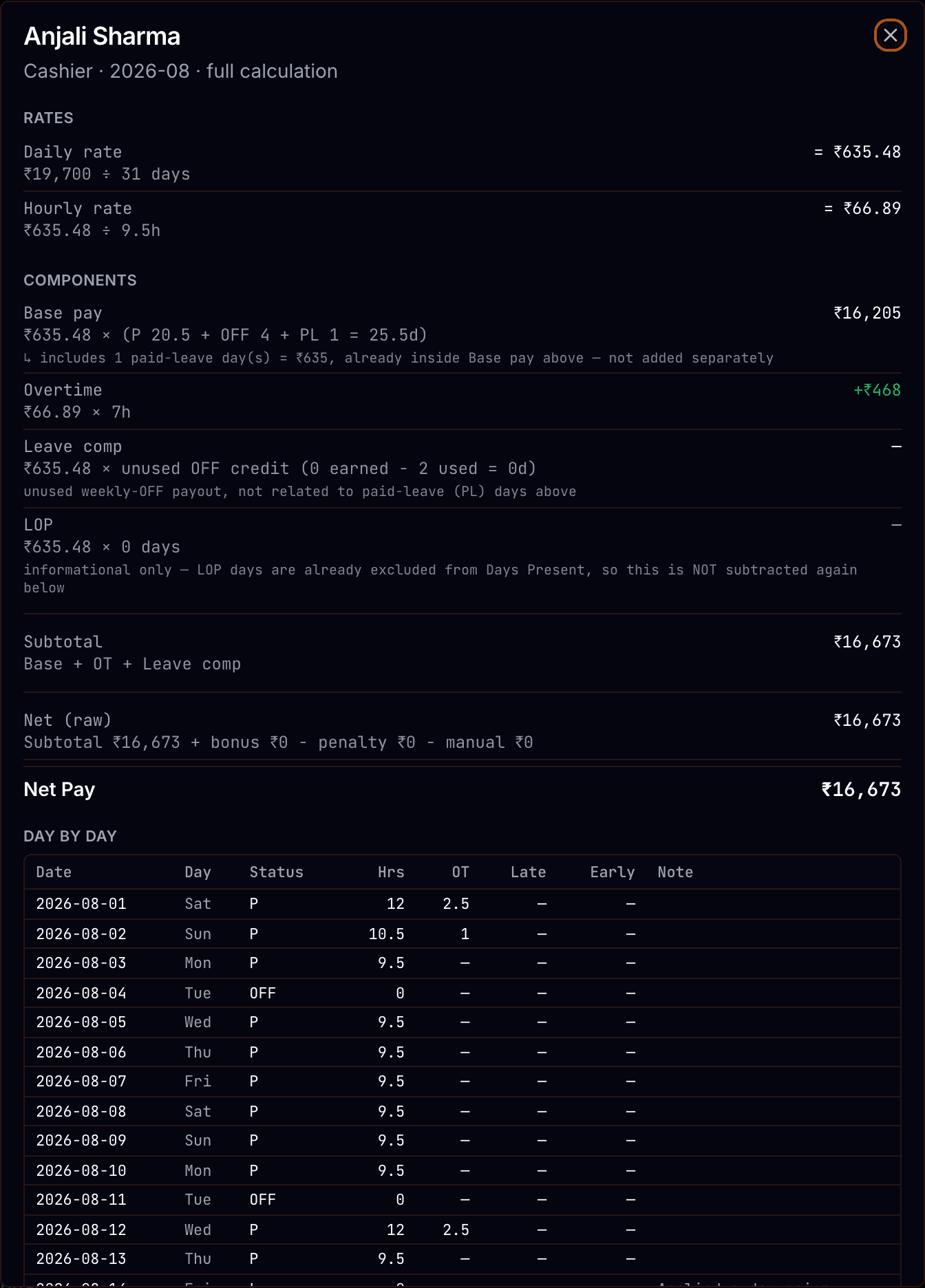
Every line shows its formula.
What the calculation covers.
The daily rate comes from the salary and the days in that month.*
* Monthly salary divided by the calendar days of the month being run.
Overtime pays at the hourly rate. Undertime docks at the same one.*
* Hourly rate is the daily rate divided by the standard shift hours on the staff record.
A half day counts as half a day present, and LOP ×1.5 costs a day and a half.*
* Statuses on the attendance register, applied when the month is totalled.
Weekly offs are earned one per seven days present, and paid up to four.*
* Offs earned but not taken pay out at the daily rate.
A deduction will not save without a reason typed against it.*
* Each deduction records its date, amount, reason and who entered it.
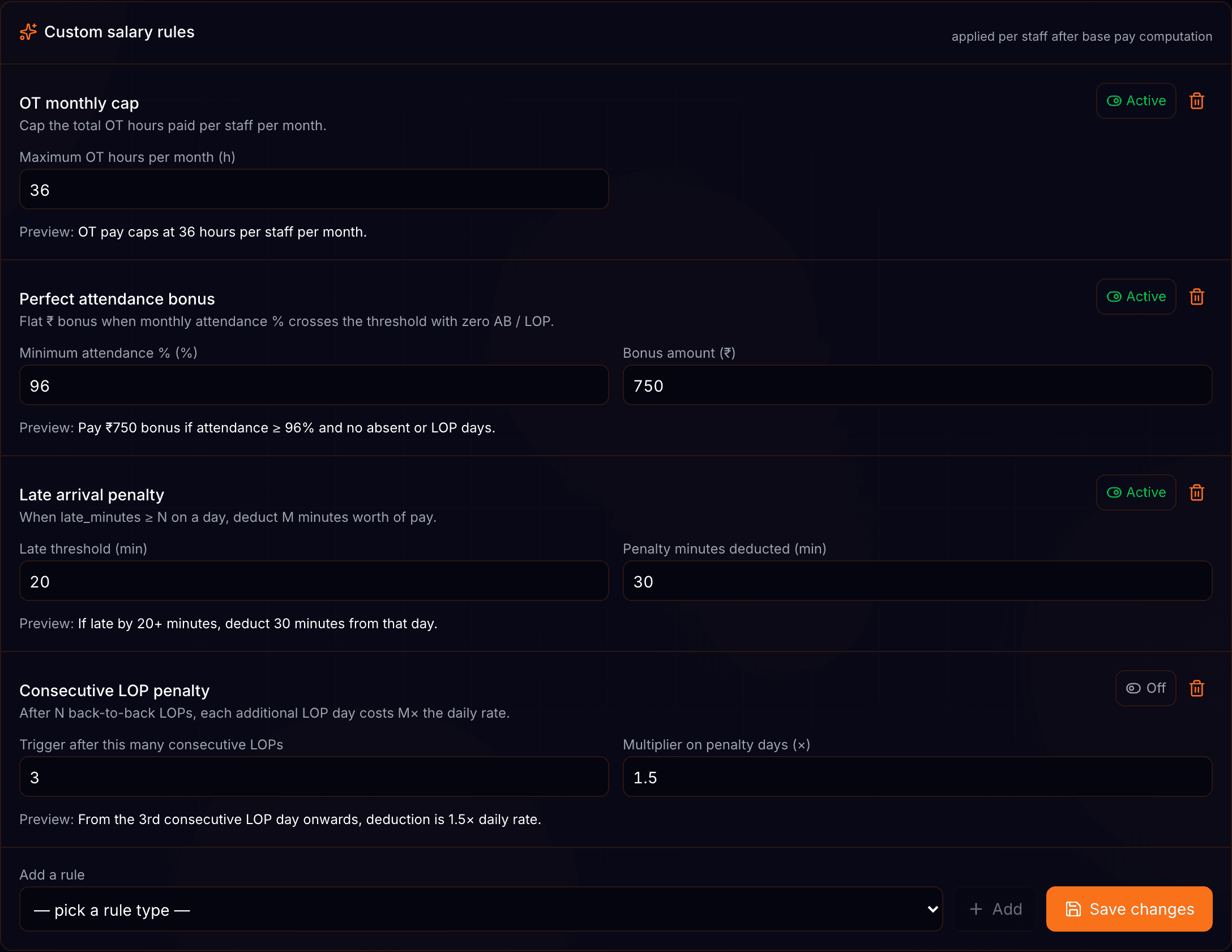
Salary rules
Set the rules once.
Three rules sit on top of the base calculation, and each one is set per restaurant.
Advances
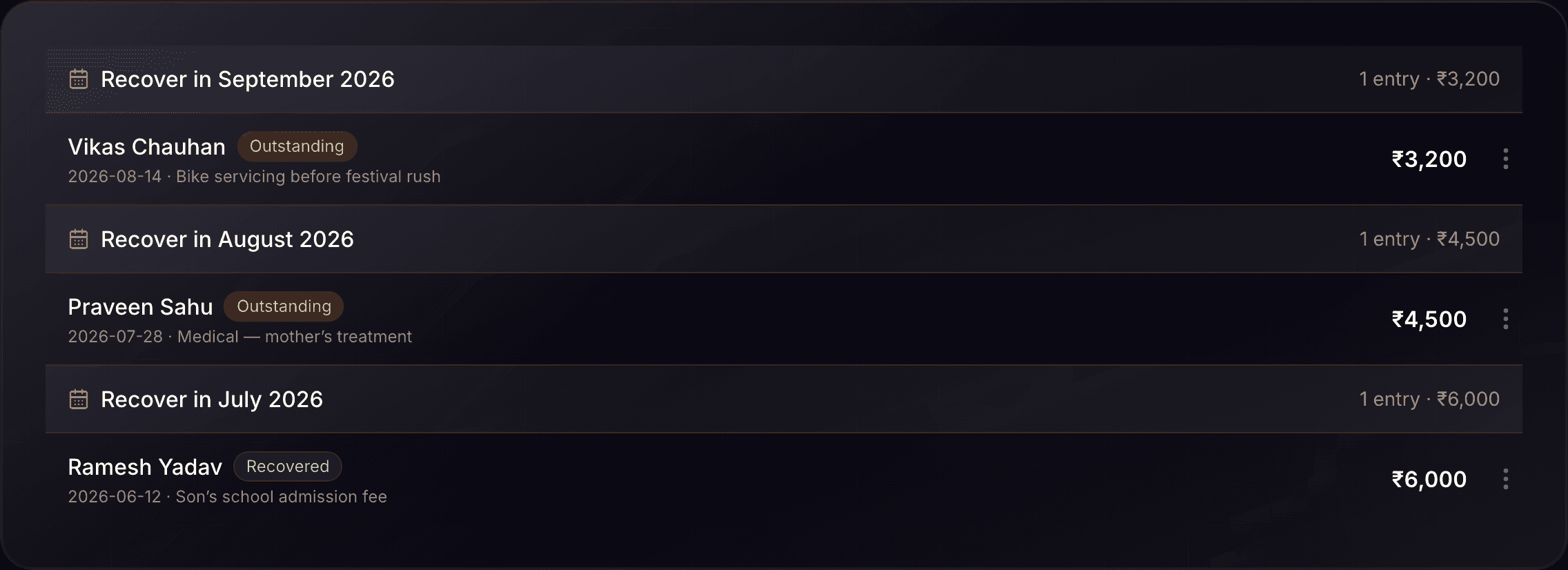
A register of what went out early.
Every advance carries a reason, the month it is due back, and who approved it.
What the month is made of.
Ten register statuses price themselves into the month.¹
Three salary rules run on top of the base pay.²
Up to four weekly offs a month are paid.³
Deductions past half the period’s wages raise a warning.⁴
- ¹ Baseline: the attendance register status set — present, half day, week off, holiday, festival leave, leave, earned leave, absent, LOP and LOP ×1.5.
- ² Baseline: consecutive-LOP escalation, perfect-attendance bonus and a monthly overtime cap, each configured per restaurant.
- ³ Baseline: one off earned per seven days present, capped at four; offs earned but not taken pay out at the daily rate.
- ⁴ Baseline: the Payment of Wages Act limit on deductions from a wage period. The warning is shown to the admin, not enforced.
Questions? Answers.
Does it calculate PF, ESI or TDS?
No. The month is salary, attendance, overtime, salary rules and the deductions you enter. Statutory contributions are not computed.
Can a staff member see their own payslip?
Yes, if their login is linked to their staff record. They see their own month and nobody else’s.
How do I get the numbers out?
The month summary exports as a CSV with a row per staff member. There is no PDF payslip.
Are advances taken off the salary automatically?
No. The register tracks what was paid out and the month it is due back. Marking it recovered is a deliberate step.
Where does a number on the summary come from?
Open the row. Each line — daily rate, base pay, overtime, leave comp, each rule, each deduction — is shown with the formula that produced it.